

Introduction
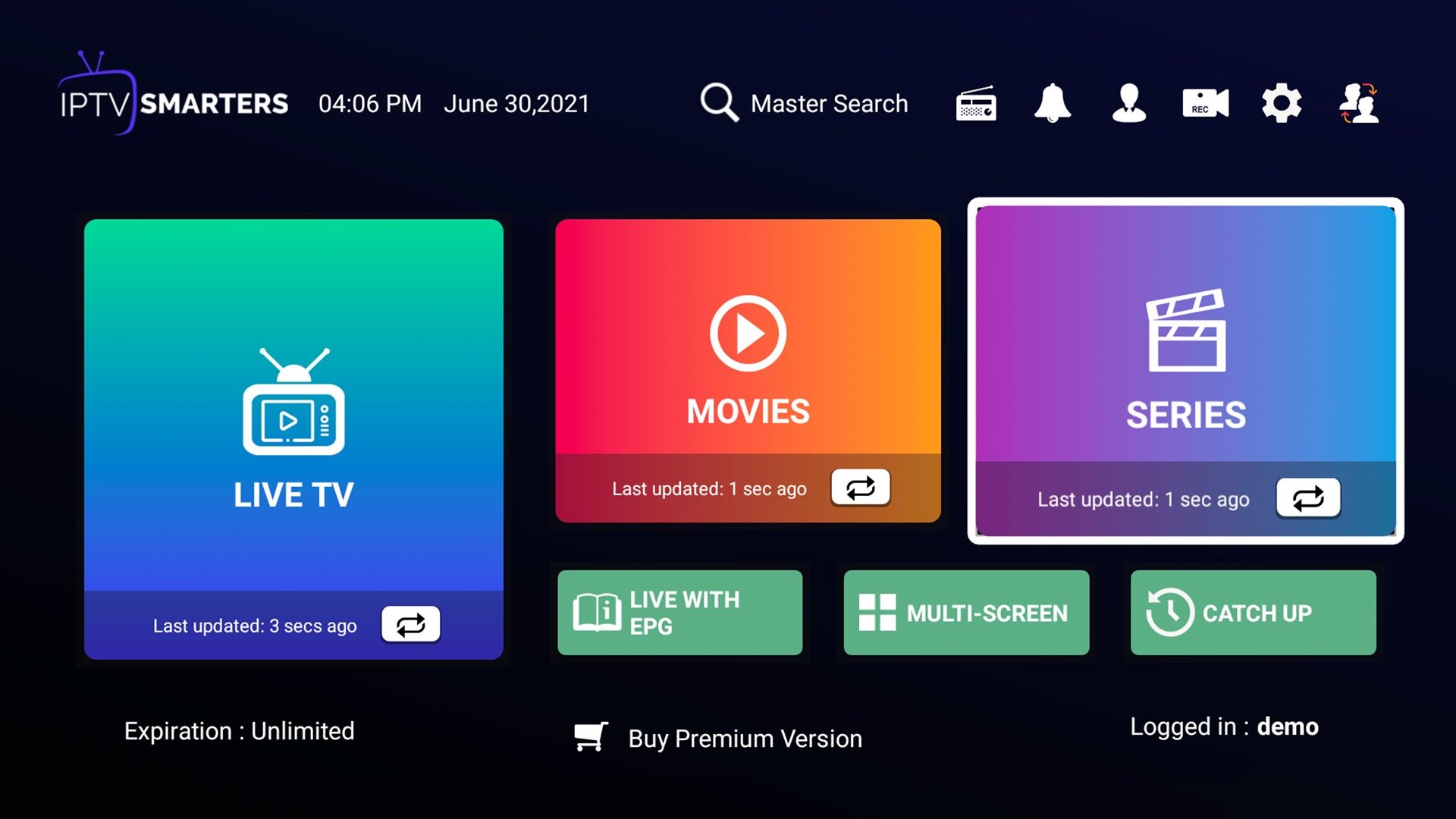
In recent years, IPTV (Internet Protocol Television) has revolutionized how we consume television and multimedia content. Among the various IPTV applications available, IPTV Smarters stands out as a popular choice due to its user-friendly interface and robust features. Whether you’re new to IPTV or looking to maximize your experience with IPTV Smarters, this guide will walk you through everything you need to know about using this versatile application effectively.
What is IPTV Smarters?
IPTV Smarters is a powerful IPTV player that allows users to access and stream live TV, on-demand videos, and even radio from their IPTV service providers. Compatible with a wide range of devices including smartphones, tablets, smart TVs, and set-top boxes, IPTV Smarters offers a seamless and intuitive way to enjoy IPTV services.
Getting Started with IPTV Smarters
- Installation and Setup
- Downloading IPTV Smarters: You can find IPTV Smarters on various app stores such as Google Play Store for Android devices and the App Store for iOS devices.
- Installation Process: Follow the straightforward installation instructions provided by your respective app store.
- Launching IPTV Smarters: Once installed, open the app to begin the setup process.
- Setting Up IPTV Smarters
- Adding IPTV Service: You’ll need the credentials (username, password, and server URL) provided by your IPTV service provider.
- Configuring Settings: Customize your playback preferences, including video quality settings, audio preferences, and parental controls.
Navigating IPTV Smarters Interface
- Home Screen Overview
- Featured Sections: Explore recommended content, recently watched channels, and favorite channels.
- Menu Options: Access settings, account information, and help resources from the menu bar.
- Channel Listings and EPG (Electronic Program Guide)
- Viewing Channels: Browse through the channel list categorized by genres or create a personalized favorite channels list.
- EPG Functionality: Utilize the EPG to view program schedules, set reminders for upcoming shows, and easily switch between channels.
- Playback Features
- Live TV Streaming: Watch live broadcasts with minimal buffering and high-quality video playback.
- Catch-Up TV: Access previously aired programs from the past few days and enjoy them on-demand.
- VOD (Video on Demand): Browse and watch movies, series, and other on-demand content available in your IPTV subscription.
Advanced Features and Tips
- Multi-Screen Support
- Casting and Mirroring: Stream content from IPTV Smarters to compatible devices such as Chromecast or Apple TV.
- Multi-Device Sync: Access your IPTV account across multiple devices simultaneously.
- Customization Options
- Themes and Layout: Personalize the app interface with different themes and adjust the layout for optimal viewing experience.
- Parental Controls: Set restrictions on content based on age ratings and manage access to certain channels or programs.
- Troubleshooting and Support
- Common Issues: Address connectivity issues, playback errors, and other technical problems.
- Support Resources: Utilize FAQs, online forums, and customer support provided by both IPTV Smarters and your IPTV service provider.
Security and Privacy Considerations
- Secure Connections
- VPN Usage: Enhance privacy and security by using a VPN (Virtual Private Network) when accessing IPTV services, especially when using public Wi-Fi networks.
- Account Security: Keep your login credentials secure and avoid sharing them with unauthorized users.
- Legal Aspects
- Copyright Compliance: Understand and adhere to copyright laws when streaming content through IPTV Smarters.
- Authorized Sources: Ensure your IPTV subscription is obtained from legitimate providers to avoid legal implications.
Conclusion
IPTV Smarters offers a comprehensive and user-friendly platform for accessing IPTV services across various devices. By following this guide, you can navigate through its features, customize settings to suit your preferences, and troubleshoot common issues effectively. Whether you’re a beginner or an experienced user, IPTV Smarters provides an immersive entertainment experience that caters to diverse viewing preferences. Explore the world of IPTV with IPTV Smarters and unlock a new era of television and multimedia consumption.